
Maps Reviews Exporter
Export the Google Maps reviews of any business to CSV or JSON in one click.
How it works
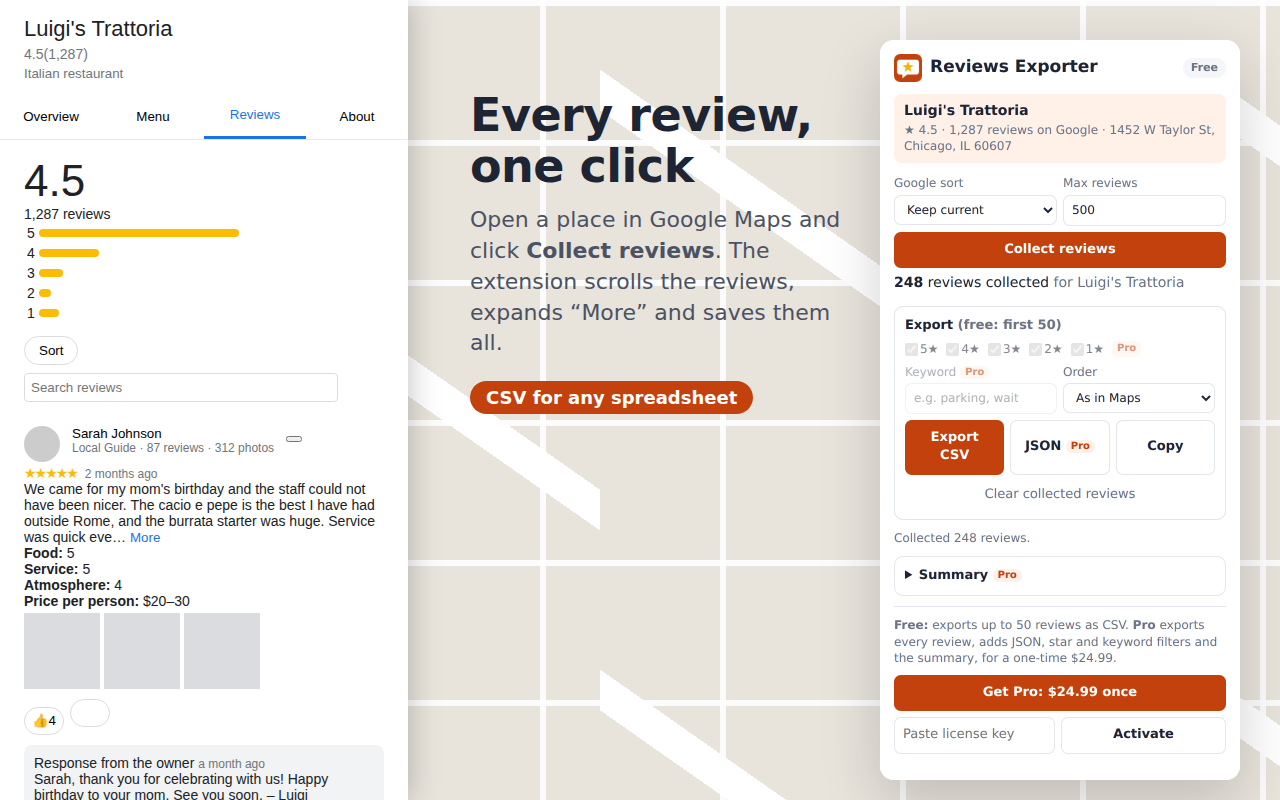
- Open any business in Google Maps.
- Click the extension and press Collect reviews. It scrolls the list and expands long reviews for you.
- Export CSV or JSON, or copy straight into a spreadsheet.
What you get
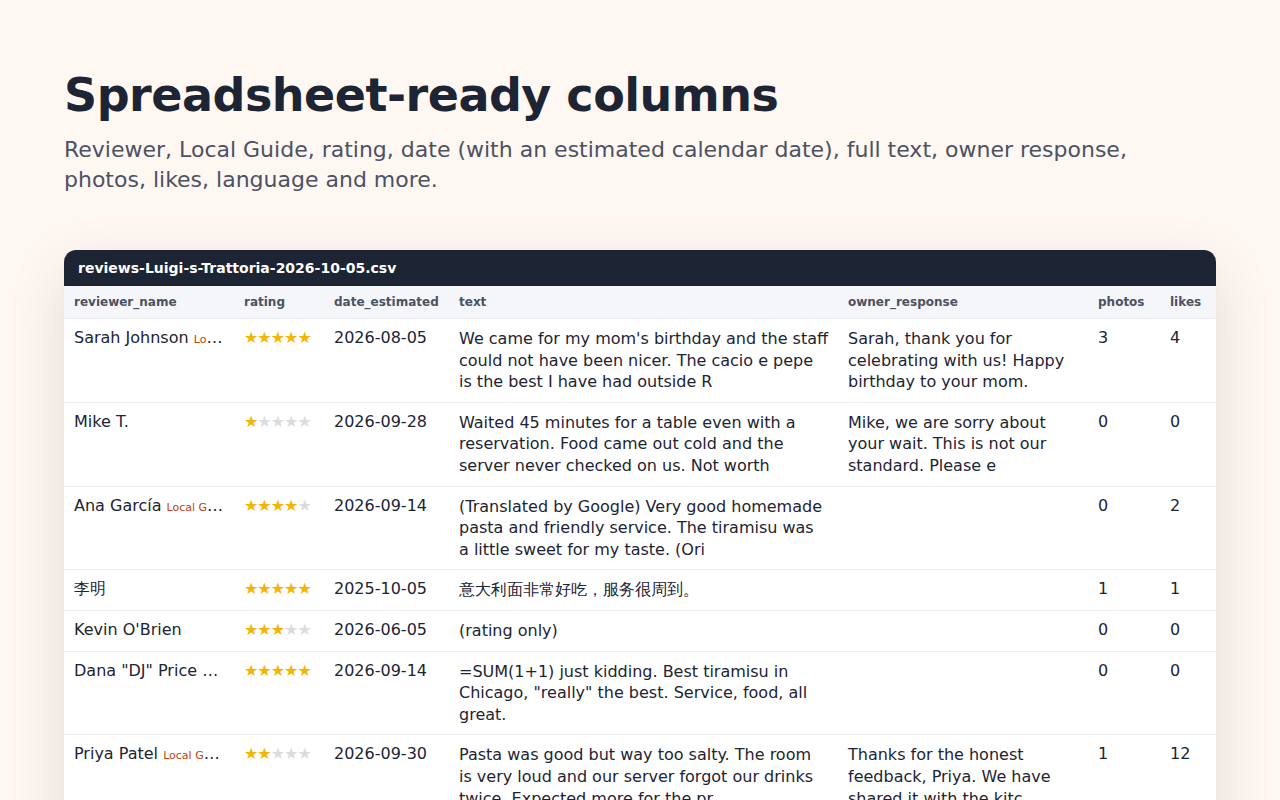
Reviewer name and profile link, star rating, date (plus an estimated calendar date), full text, owner response, photo and like counts, and sub-ratings such as Food and Service. Every row also carries the place name, address and overall rating.
Pricing
Free
- Up to 50 reviews per export
- CSV export and copy to clipboard
Pro
$24.99 once, no subscription
- Unlimited reviews per export
- JSON export
- Filter by star rating and keyword
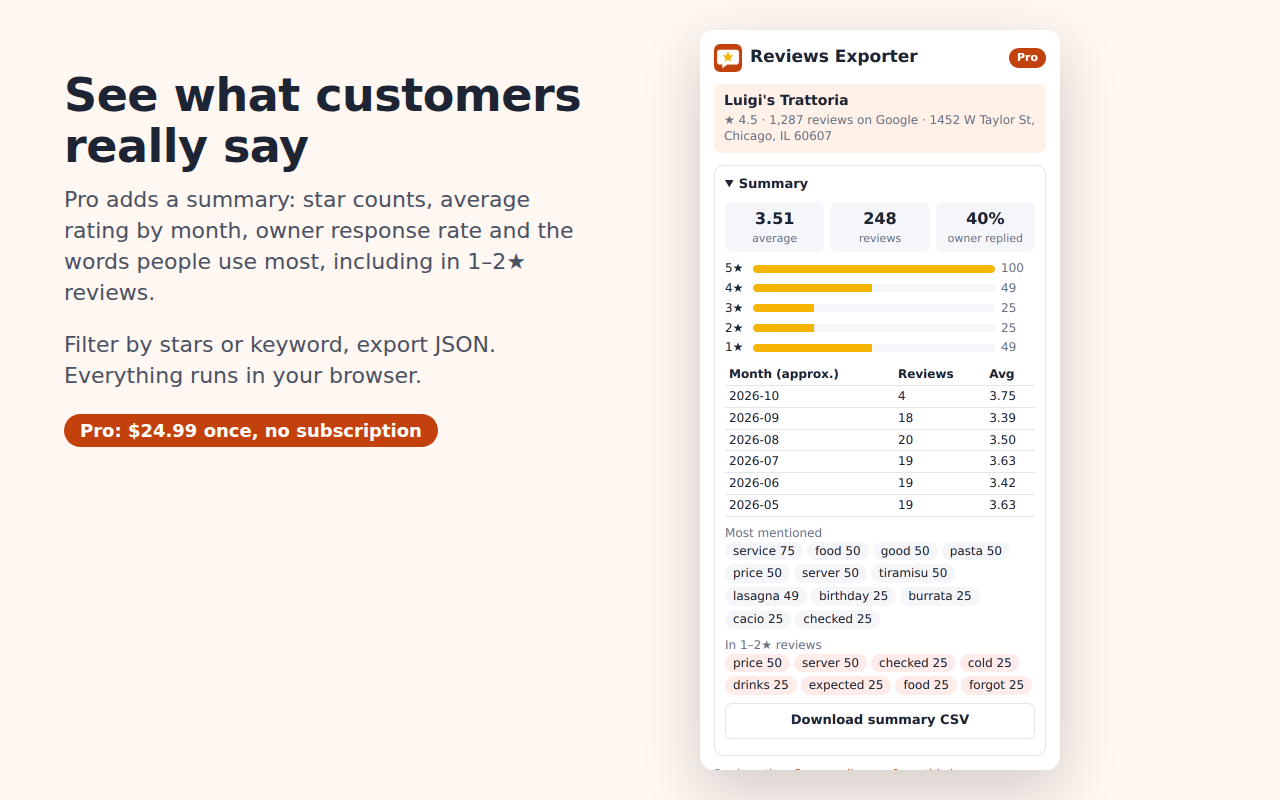
- Summary: star counts, rating by month, owner response rate, most-mentioned words
Buy Maps Reviews Exporter Pro, $24.99 once
After paying, your license key appears on the receipt and in your email. Open the extension, paste it into "Paste license key" and click Activate. Works on up to 3 browsers.
Who uses it
Business owners tracking their reputation, agencies preparing audits, marketers studying competitors and researchers analysing customer feedback.
Privacy
Everything runs in your browser. No account, no tracking, and your data never passes through our servers. Read the privacy policy.
Maps Reviews Exporter is an independent tool and is not affiliated with or endorsed by Google.